The photo renamer that turns IMG_4821.jpg into a name you can find
Rename hundreds of photos in one go. Build a naming pattern, or let the built-in AI name each photo by what’s in it, running privately on your computer. Check the new names, then rename the whole folder in one click.
Try the full version with 50 free renames.
- Windows, macOS and Linux
- Works offline, no uploads
- One-time €49, no subscription
- 50 free renames to try
Sound familiar?
Photos pile up from phones, cameras and chats, each with its own naming habit. Finding the one you want shouldn’t mean opening them all.
Every camera names photos differently
IMG_4821, PXL_20260813_101532 and DSC09931 end up in the same folder, and none of them tell you what’s inside.
You can’t tell one trip from another
Thousands of photos with near-identical names make it hard to find a day, an event or a shoot without opening every file.
Renaming one by one takes forever
Click, type, repeat. Doing it by hand in File Explorer or Finder isn’t realistic for more than a handful of photos.
Online tools want your photos
Most web-based renamers ask you to upload private pictures first, and then download them all again.
Batch rename photos in three steps
No scripts, no regex, no renaming one file at a time.
- Step 1
Add your photos
Drop in a folder or a selection of photos. Your files stay exactly where they are.
- Step 2
Choose how to name them
Arrange blocks for the folder name, the date, a counter or your own text. Or add Auto Name and let the built-in AI describe each photo.
- Step 3
Check and rename
See every new name next to the old one before anything changes. Happy with it? Rename the whole batch in one click.
An image renamer that sees what’s in the picture
When a filename tells you nothing, add the Auto Name block. Renamy’s built-in AI looks at each photo and writes a short, plain description, like “Yellow tram in the old town”.
It runs entirely on your computer. There’s no AI account, no API key and nothing to install separately: Renamy downloads the model for you the first time you use it.
Mix it with the rest of your pattern, for example the date followed by the description, so names stay both sortable and descriptive.
Auto Name works with JPG, PNG, WebP, GIF, BMP and TIFF images. Review the suggested names before you apply them.

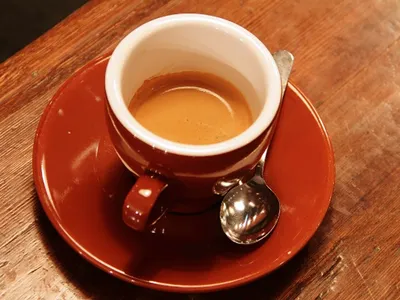
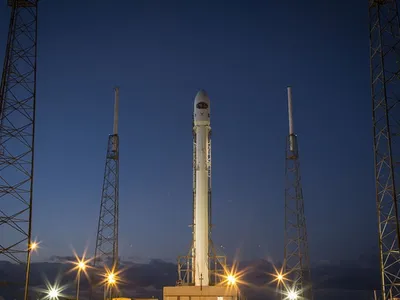
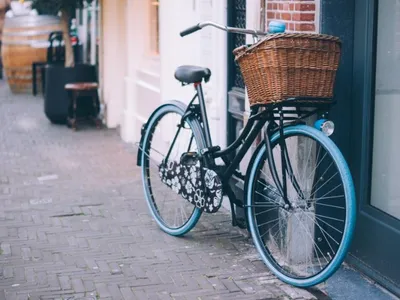
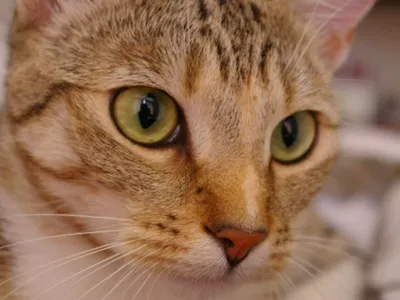
Use a specific detail from the image in its name
Ask Smart Extract for one detail and use the result as part of the filename. Combine it with your own text, dates, or counters.



One picture renamer, every kind of photo folder
Pick the one that looks like yours. Each example is a pattern you can build in Renamy in under a minute.
Keep every trip easy to find
Use the folder name, the date and a counter, so photos from the same trip sort together and read like a timeline.
Before and after
- IMG_4821.jpg
- Porto_2026-08-12_001.jpg
- IMG_4822.jpg
- Porto_2026-08-12_002.jpg
- PXL_20260813_101532.jpg
- Porto_2026-08-13_003.jpg
Deliver photos with a consistent label
Add the client and the shoot as text, then number the batch. Every delivery looks organised before your client opens a single file.
Before and after
- DSC09931.jpg
- ACME_product-shoot_001.jpg
- DSC09932.jpg
- ACME_product-shoot_002.jpg
- DSC09935.jpg
- ACME_product-shoot_003.jpg
Name photos by what’s in them
Combine the date with Auto Name. The built-in AI looks at each photo on your computer and writes a short description.
Before and after
- IMG_4830.jpg
- 2026-08-13_Sunset over terracotta rooftops.jpg
- PXL_20260813_101532.jpg
- 2026-08-13_Yellow tram in the old town.jpg
- IMG_4851.jpg
- 2026-08-15_Custard tarts and coffee.jpg
Clean names for your website or shop
Keep the useful part of the current name, remove leftovers like “FINAL”, and switch to lowercase with hyphens.
Before and after
- Blue Mug FINAL!!.jpg
- blue-mug.jpg
- Green Bowl (2).jpg
- green-bowl-2.jpg
- Hero Banner FINAL.jpg
- hero-banner.jpg
Try it on your own photos. The first 50 renames are free.
Rename a thousand photos without worrying about one
Batch renaming should feel safe. Renamy shows you everything first and lets you go back.
See every new name first
The old and new names sit side by side. Nothing changes on your computer until you press Apply.
Problems caught before they happen
Two photos that would end up with the same name, or characters your system doesn’t allow, are flagged before you rename.
Undo a whole batch
Every batch is saved in History. Changed your mind? Roll it back and your photos get their old names again.
Your photos stay untouched
Only the filename changes. No resizing, no re-compressing, no lost quality.
Why not just use an online photo renamer?
Online photo renamers need your pictures on their servers before they can rename them. That means uploading private photos, waiting for big batches to transfer, size limits, and downloading everything again.
Renamy works on the folders already on your computer. Photos are renamed where they are, and the AI runs locally too, so nothing ever leaves your machine.
Pay once. Rename photos forever.
Try the full version with 50 free renames. One license covers your photos and every other file.
Renamy, yours to keep
No subscription
Perpetual license.
All future updates included.
Everything included
- Unlimited photo renames
- Patterns with folder names, dates, counters and text
- Auto Name: local AI that describes your photos
- Preview with duplicate and invalid-name checks
- Batch history and one-click undo
- Saved patterns for your next batch
Your first 50 renames are free.
Try every feature on your own photos before you buy.
Questions about renaming photos
Still deciding? Here’s what people usually ask. Get more help
How do I rename multiple photos at once?
Add the folder or the photos to Renamy, arrange the blocks for your naming pattern and check the new names in the preview. When they look right, apply the batch. Every photo in the batch is renamed in one go.
Is Renamy free?
Your first 50 renames are free, with every feature included. After that, a one-time payment of €49 unlocks unlimited renames and all future updates. There is no subscription.
Does renaming change my photos or their quality?
No. Renamy only changes the filename. The image itself is not opened for editing, resized or re-compressed.
Are my photos uploaded anywhere?
No. Renaming happens on your computer, and so does the AI. Your photos are never sent to a server.
Can I rename photos by date?
Yes. The Date block adds each file’s created or modified date in the format you choose. Reading the date a photo was taken from its camera data isn’t supported yet, so check the preview for photos you copied from another device.
Does it work with iPhone HEIC and RAW photos?
Pattern renaming works with any file, including HEIC and RAW. Auto Name, the AI that describes photos, currently works with JPG, PNG, WebP, GIF, BMP and TIFF images.
Do I need to set up the AI myself?
No. Renamy includes its own AI and downloads the model for you the first time you use it. There’s no Ollama, API key or account to set up, and you never have to use AI if you don’t want to.
Does it work on Mac and Linux?
Yes. Renamy runs on Windows, macOS and Linux, and one license covers you.
Can I undo a rename?
Yes. Every batch is saved in History with the old and new names. Open it and roll the batch back. Photos that were moved or renamed outside Renamy since then may not be restored.
Give your next photo folder better names
Renamy launches soon. Get notified and rename your first 50 photos free. No uploads, no subscription.